
Who is attacking your servers? SecureK tells you.
SecureK reads the logs of your servers and applications, detects attacks within seconds, explains them in plain language and blocks the attackers. Built for small and medium-sized businesses without a dedicated security team.
✓ No-obligation consultation ✓ On your servers or as a managed service ✓ Direct support from KD Software
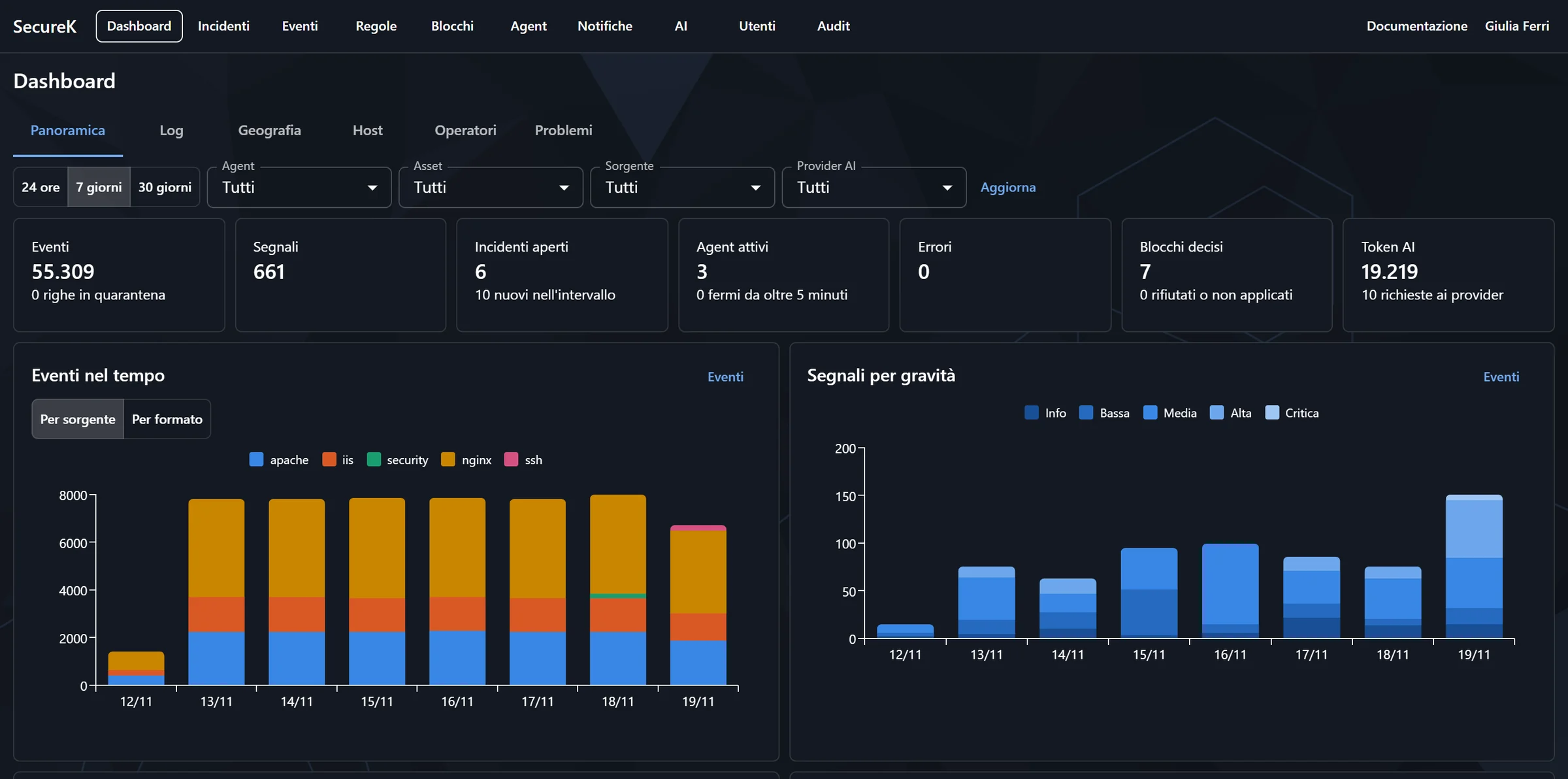
Your servers are attacked every day. Does anyone notice?
Every server exposed to the Internet receives thousands of attempts: password guessing, searches for sensitive files, exploits of known vulnerabilities. It all ends up in the logs, which nobody has time to read.
Logs nobody reads
Gigabytes of lines every day: the attacks are there, but they stay hidden in the noise.
No security team
In a small business, security is one more job for whoever already runs the servers, the network and the users.
Noticed too late
Attacks are often discovered once the damage is done: stolen data, services down, compromised passwords.
Three steps, without changing anything in your systems
1. Reads the logs
A small agent on your servers reads the logs that already exist: web server, system, logins, applications. Your applications stay untouched.
2. Detects attacks
A rule library maintained by KD detects scans, guessed passwords, SQL injection, exploits and suspicious logins, and groups them into incidents.
3. Explains and blocks
Artificial intelligence explains in plain language what happened and what to do. If you want, SecureK blocks the address on the server's firewall.
A look at SecureK
This is what SecureK looks like to the people who use it every day. The screenshots come from the real console with data from a demo company; the assessments are written by the local AI.
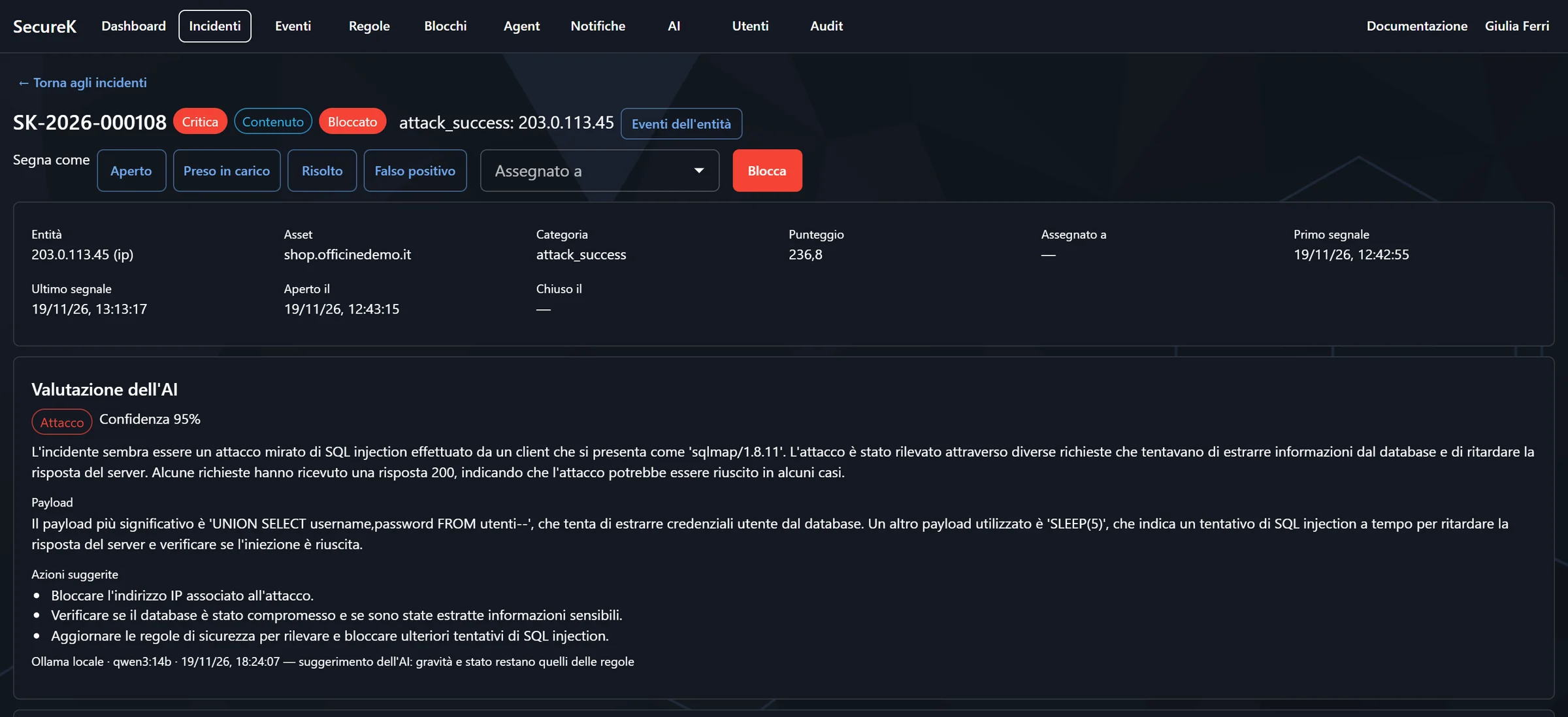
Every incident explained in plain language
The AI reads the incident’s signals and writes what happened, the payload used and what to do. Severity and status are still decided by the rules.
- A clear summary, even for non-experts
- Suggested actions, one per line
- Every suspicious request with its evidence
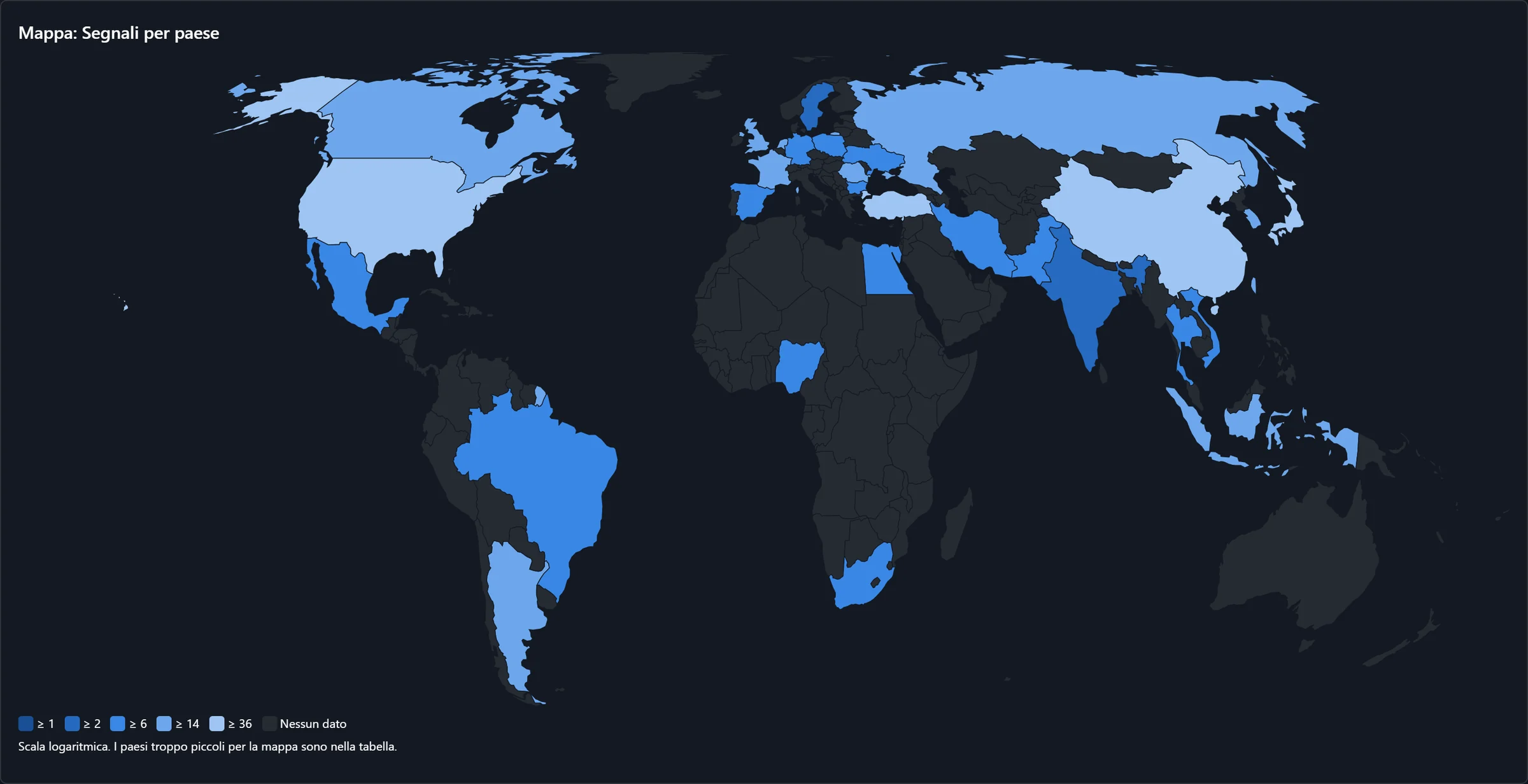
Where the attacks come from
The map shows the countries and networks that events, signals, incidents and blocks come from, using a geolocation database on your own servers.
- Most active countries and networks
- Events, signals, incidents or blocks, as you choose
- No address sent outside with the local database
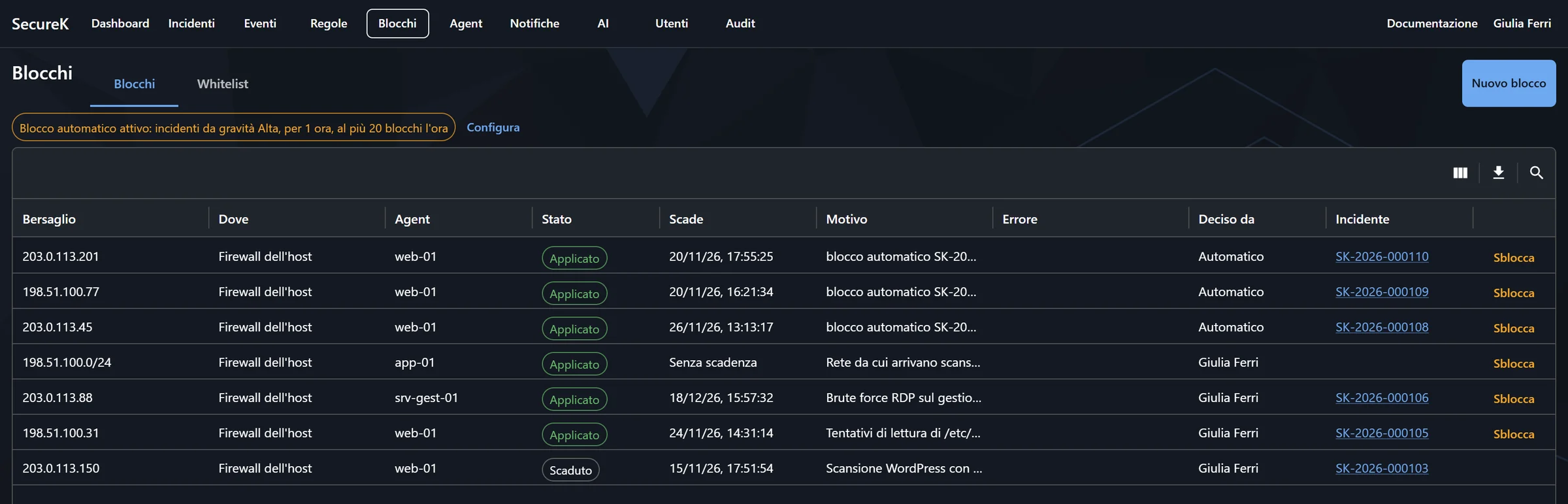
Blocked on the firewall, automatically or with one click
Every block has its reason, its expiry and the incident that caused it. Automatic blocking is switched on only when you decide.
- Linux and Windows firewall
- Allowlist for the people you work with
- One-click unblock from the console
Not just websites: anything that writes a log
SecureK works with the most popular web servers, with Linux and Windows, and with your applications.
Web servers
Apache, Nginx, IIS, Tomcat and HAProxy: websites, portals, APIs and e-commerce.
Linux servers
SSH logins, sudo, users and services from syslog and the systemd journal.
Windows servers
Event Log: failed logins, Remote Desktop, new users, installed services.
Applications
KD business software and any application that writes a log, even in a custom format.
Everything you need to notice in time and react
Detection within seconds
Log lines arrive in real time and the rules evaluate them immediately: the incident opens while the attack is still under way.
Plain-language explanations with AI
Every incident has a clear summary and recommended actions. The AI can run on your own servers: your logs never leave the company.
Attacker blocking
One-click or automatic blocking of serious attacks, on the Linux and Windows firewall, with an allowlist for the people you work with.
Alerts where you work
Email, Microsoft Teams, Slack, Telegram, SMS, Zammad tickets or webhooks to your own systems.
A clear web console
Dashboard, incidents, events, blocks and an attack map. Sign-in protected by two-factor authentication.
Your data stays yours
On your own servers or in the service managed by KD Software, with each customer's data kept separate from everyone else's.
You choose where it runs
On your servers (on-premise)
For those who already have infrastructure and want to keep everything in-house.
- SecureK server installed by you or by us
- Logs and data always stay on your network
- Local AI, no external services
- Rule updates provided by KD
Managed service by KD
For those without dedicated IT staff who want to think about it as little as possible.
- Only the small agent to install on your servers
- Server, updates and maintenance handled by KD
- Rules and thresholds tuned together with you
- A KD Software contact person to ask
Not sure which to choose? Let’s talk it over.
Want to know who is knocking on your servers?
Tell us how many servers you have and what runs on them: we’ll explain how SecureK can protect them and how to get started.
Answers to the questions we hear most often
No. SecureK reads the logs your servers and applications already write. You only need to install a small agent on each server.
No. The agent is lightweight: in our measurements it uses less than 1% of one CPU core and about 20 MB of memory.
Not with the on-premise installation: even the AI can run locally. With the managed service, logs reach KD Software’s servers over an encrypted channel and are kept separate from other customers’ data.
No. Incidents are explained in plain language with the actions to take, and KD Software helps you configure and tune the rules.
Automatic blocking stays off until you decide to turn it on. You can exclude your own addresses with the allowlist, every block has a duration, and it can be removed with one click from the console.
Request a consultation
Fill in the form and we’ll get back to you to work out together how to protect your servers and how to get started with SecureK.
✓ No obligation ✓ You’ll hear from the people who build SecureK